NexBlue Point 2 Review
The NexBlue Point 2 can pay you to charge but is there a catch?
Product overview
Design 4/5
Build Quality 4/5
Reliability Too soon to comment
App Features 5/5
User Experience 5/5
Customer Service Too soon to comment

Last updated: Aug 26, 2026
Pros | Cons |
- Smart Charge Rewards gives eligible drivers £5 a month for letting Nexblue schedule their charging sessions | - Cable sticks out at a 90 degree angle when connected |
- Cable can be locked onto the unit making it tethered | - No colour options other than black |
- Five year warranty |
|
Finding a home EV charger with scheduling, solar compatibility and cost tracking is hardly difficult these days. Finding one that pays you for plugging in, however, is rather less common.
The biggest ace up NexBlue’s sleeve is Smart Charge Rewards, a rewards scheme that offers eligible owners £5 per month for allowing certain charging sessions to be shifted to lower-demand periods.
It is an appealing proposition, but its eligibility conditions exclude users of several popular intelligent tariffs including Intelligent Octopus Go. So, does the Point 2 offer enough elsewhere to make it a compelling alternative to its rivals? Let's find out!
NexBlue Point 2: Overview
NexBlue Point 2 at a glance | |
|---|---|
Power Output | Up to 7.4kW |
Tethered or untethered | Untethered (can lock onto a cable to become tethered) |
Dimension | Up to 7.4kW (single phase) |
Connectivity | WiFi, mobile data (via 4G sim card) |
Smart tariff support | Intelligent Octopus Go, OVO Charge Anytime and more |
RFID access control support | Yes |
IP/IK rating | IP54 (Sufficient protections against dust and water spraying at any angle). IK10 protected |
Connectivity | WiFi & Bluetooth |
Dynamic load balancing | Included |
Warranty | 5 years |
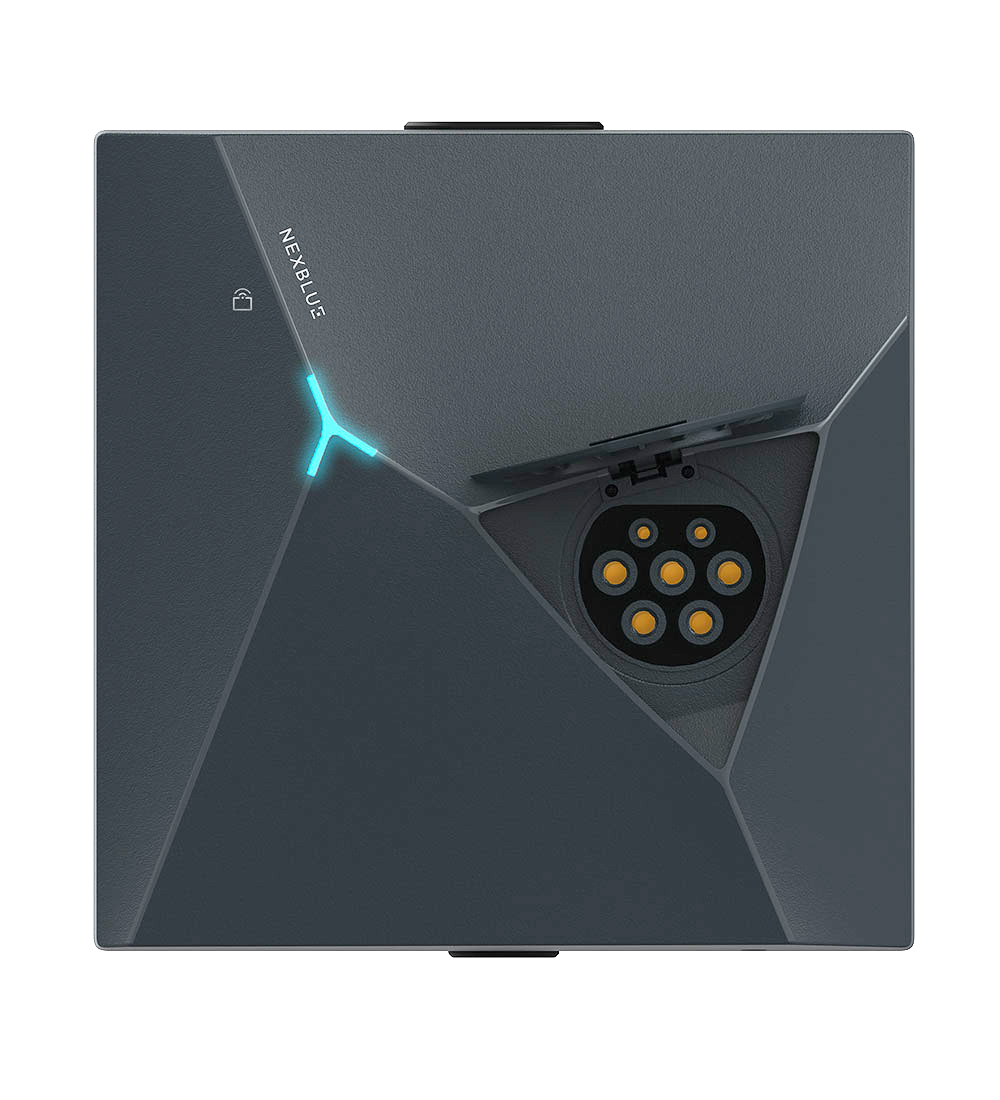
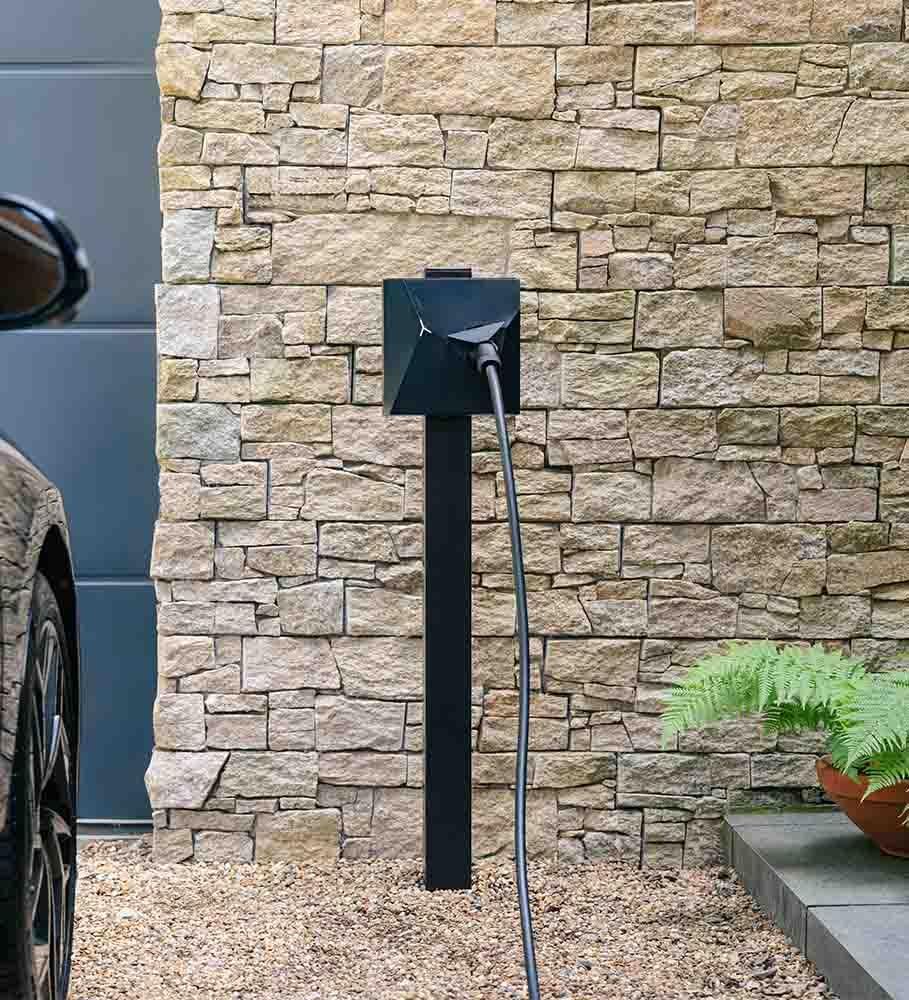
The NexBlue Point 2 is a compact 7.4kW home EV charger with a Type 2 socket. However, it does not have to remain untethered. You can insert your own charging cable (and if you don't have one, you can buy one on our accessories page) and lock it into the socket through the myNexBlue app, effectively turning it into a tethered charger. This gives you the tidier appearance of an untethered unit or the everyday convenience of having a cable permanently attached.
One thing to note however is that when the charger is used in tethered mode the cable exits the unit at a 90-degree angle, making it easily knockable in tighter installations, such as narrow driveways or walkways running alongside a house. By comparison, rivals like the Easee One position the charging port at a downward angle, which helps the cable sit closer to the wall and reduces its visual and physical footprint.
The charger also comes with a wired CT clamp for dynamic load balancing. This monitors the electricity being used around your home and can automatically reduce the Point 2’s output to avoid overloading the property’s electrical supply. The same equipment also allows the Point 2 to take advantage of any surplus solar energy you might be generating.
Connectivity is another strength. Alongside Wi-Fi, the Point 2 has a built-in 4G eSIM. This gives it a backup connection if your home Wi-Fi is unavailable and helps ensure that app controls and smart features remain accessible.
NexBlue Point 2: Design

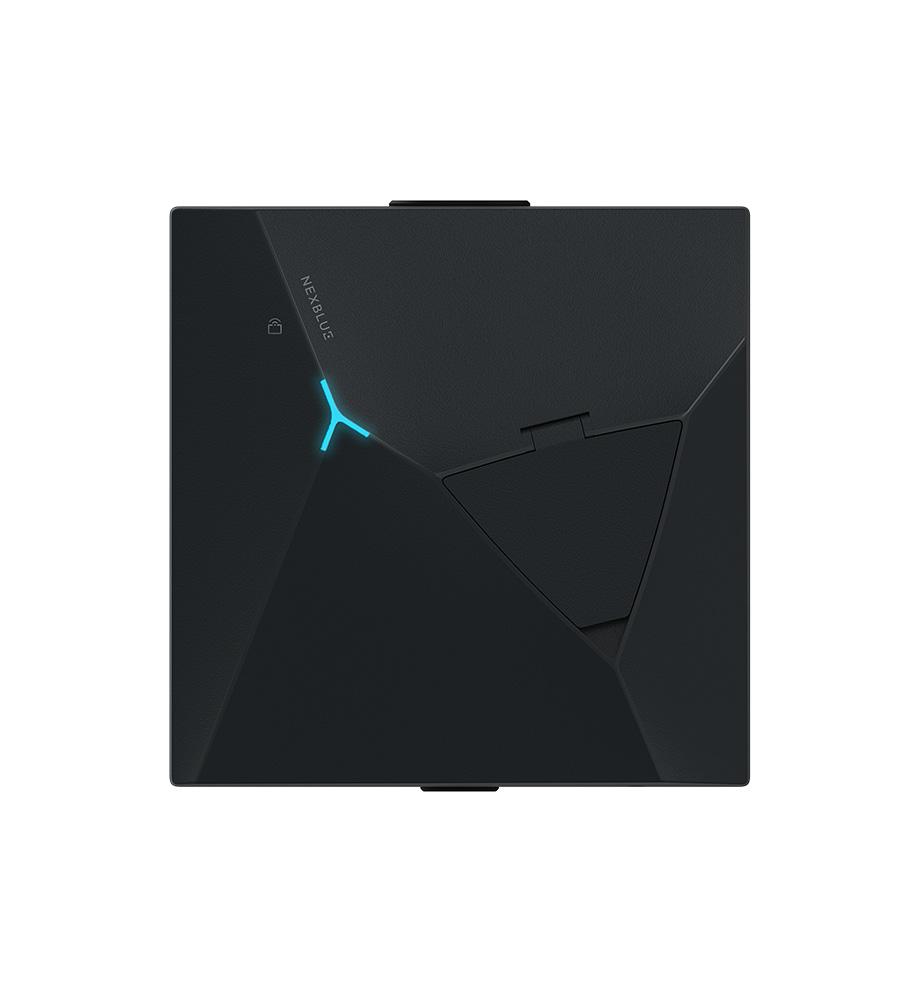
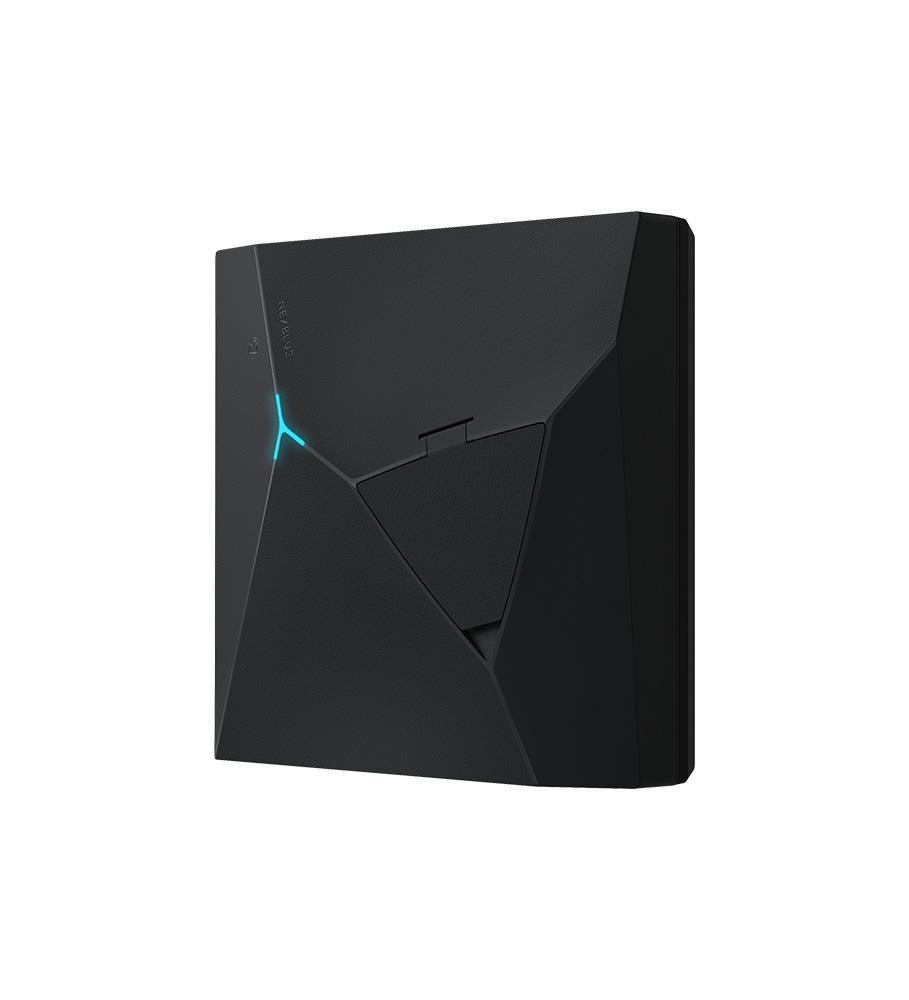
Sizewise, the NexBlue Point 2 sits between the Ohme Home Pro and Easee One making it a great compact unit option for those who want a charger that blends into the wall it's on rather than become a showpiece like the Hypervolt Home 3 Pro or Andersen A3 does.
Colourwise, you just get black and unlike the Easee One, the front covers are not swappable but the black finish looks nice and complements the geometric design nicely. The materials used to make the charger feel durable too and the matte finish should resist scratches and accidental knocks for years to come.
Although a small detail, the one part about the NexBlue Point 2 that did impress me was the charging port cover. With most chargers like the Ohme ePod, the charging port cover snaps shut as soon as you let go of it. NexBlue however clearly took inspiration from premium kitchen cabinets however and gave the Point 2 a soft close flap. It's surprising that soft close isn't featured in more EV chargers, like those from premium brands such as Andersen.
NexBlue Point 2: Using the MyNexBlue app in day to day life

Set up of the app was a breeze. Once I got the invite to commission my Point 2, the app connected to the charger straight away and I was able to get to using it.
On first impression, the app is gorgeous to look at and all the features like cost tracking and schedule setting were easy to access without being buried in menus. What really stood out was that you are able to share a charger with multiple users which is great for multi-EV households.
NexBlue Point 2: Smart charging and tariff integration
If you are looking for Smart Tariff integration, the NexBlue Point 2 supports the main two: Intelligent Octopus Go and OVO Charge Anytime.
It also supports EDF's charging bolt-on and we hope that it will soon support E.on's Drive Smart too. If you are looking for a charger that does all of these tariffs however, your only option is the Hypervolt Home 3 Pro.
For anyone that doesn't want to use a smart tariff however fear not, the NexBlue Point 2 still has great tariff integration.
What is EcoPilot?
EcoPilot is NexBlue’s own tariff-aware charging system. During setup, you tell it which electricity tariff you use, how long the car needs to charge and when it must be ready. EcoPilot then plans the charging session around the cheapest available periods.
There are three ways to add a tariff. You can connect a supported energy account, select the tariff from NexBlue’s list or enter the rates and times manually. The last option means EcoPilot can still be used with tariffs that have not yet been added to NexBlue’s database, although you will need to update the information yourself if your prices or off-peak hours change.
Set up took me approximately half an hour and was fairly straightforward with all me having to do was enter my energy tariff account details and confirming what tariff I was on (Intelligent Octopus Go). NexBlue then pulled up the peak and off-peak windows along with up to date pricing.
The whole process was similar to how Ohme sets up its tariff integration, even down to setting a ready-by time. Unlike systems like Ohme's that can read the vehicle’s battery level, EcoPilot asks you to estimate how many hours of charging are required. This can be inconvenient if your daily mileage varies considerably. There's also no way to limit charging to off-peak hours, so while your NexBlue will prioritise off-peak charging it could still charge outside of those hours to meet the battery limit set on the vehicle.
Fortunately, you can just manually set a schedule if you find that EcoPilot is not right for you.
NexBlue Point 2: Smart Charge Rewards and earning money from your charging
One of the Point 2’s more unusual features is Smart Charge Rewards, a free rewards scheme that pays owners for giving NexBlue some flexibility over when their vehicle charges.
Despite what the name might suggest, Smart Charge Rewards does not involve sharing your charger with neighbours or allowing strangers to park on your driveway. Instead, it works with NexBlue’s EcoPilot software to move eligible charging sessions to periods when demand on the electricity grid is lower.
New members receive a £10 welcome bonus, followed by £5 for every qualifying month. To receive the monthly reward, you must complete at least two charging sessions, although NexBlue does not impose a minimum energy requirement.
How does Smart Charge Rewards work?
When EcoPilot is active, eligible users receive an invitation to join Smart Charge Rewards. Once enabled, NexBlue can shift qualifying charging sessions within the owner’s selected charging window.
Smart Charge Rewards rewards accumulate as a balance within EcoPilot. NexBlue says the £5 monthly payment is added at the end of the first calendar month after registration, as long as at least two charging sessions have been completed.
The balance can be withdrawn once it reaches £15. For a new member, the £10 joining bonus and first £5 monthly reward should therefore be enough to reach the withdrawal threshold. That means an eligible owner could earn £70 during their first 12 months: £10 for joining and £60 in monthly rewards. After that, the ongoing payment would be worth up to £60 per year, provided the scheme continues and the qualifying conditions remain unchanged.
I was unable to test Smart Charge Rewards during this review, as I am on Intelligent Octopus Go, which is incompatible with the scheme. As a result, I have not been able to assess the setup process, day-to-day behaviour or how clearly the rewards are tracked in the app.
The intelligent-tariff trade-off
The biggest limitation is that Smart Charge Rewards cannot be used alongside Intelligent Octopus Go, OVO Charge Anytime, Octopus Flux or other tariffs and packages that already control EV charging.
This restriction makes sense because NexBlue and the energy supplier cannot both decide when the same vehicle should charge. Nevertheless, it means owners may have to choose between receiving £5 per month through Smart Charge Rewards and accessing the potential savings offered by an intelligent tariff.
Which option is more valuable will depend on the household. Someone on a conventional fixed or time-of-use tariff could earn the Smart Charge Rewards reward while EcoPilot schedules charging around their normal off-peak rates. In this situation, the £5 payment is a genuine additional benefit.
The calculation is different for a driver who can join a compatible intelligent tariff. If that tariff reduces charging costs by more than £5 per month compared with the best Smart Charge Rewards-compatible alternative, choosing Smart Charge Rewards solely for the reward could leave them financially worse off overall.
For that reason, prospective owners should compare the complete cost of charging under each option rather than being guided by the headline payment. The scheme is at its most attractive when it complements an electricity tariff that already suits the household not when it requires the owner to give up larger savings elsewhere.
NexBlue Point 2: Solar charging

Solar compatibility is included as standard, with a CT clamp that monitors grid import and export so the charger can use surplus solar energy.
Rather than relying on total panel output, it accounts for household demand. For example, if solar is generating 3kW and the home is using 1kW, only the remaining 2kW is available for charging. The CT clamp also enables dynamic load balancing, although installation will depend on the property layout.
How much solar is needed?
The Point 2 has a minimum charging rate of around 1.4kW (6A), so at least this level of surplus export is required before solar-only charging can begin.
If surplus drops below this level, charging pauses until enough energy is available again. This is typical of AC chargers, but it does mean smaller solar systems or high daytime usage may struggle to maintain continuous charging.
Solar-charging verdict
I was unable to test the solar function, so I cannot comment on real-world responsiveness or app clarity.
On paper, the system is solid: the CT clamp is included and it measures true grid export rather than assuming all solar generation is available.
The key limitation is the 1.4kW threshold. Homes that regularly exceed this should benefit from solar charging, while others may see more intermittent performance.
NexBlue Point 2 versus its rivals
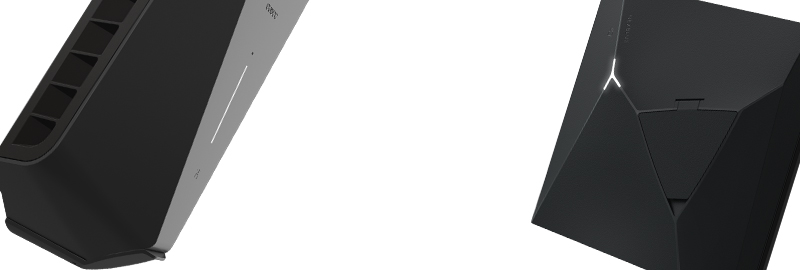
The biggest rival to the NexBlue Point 2 is definitely going to be the Easee One which it shares a striking number of similarities with. As of writing, the NexBlue Point 2 is slightly cheaper than the Easee One coming in at a starting price of £846.90 with installation compared to the £918.00 starting price of the Easee One. So what do you get in the Easee One for that extra £71? Well, aside from being from the more well-established brand, the Easee One features slightly better build quality (apart from on the charging port flap) and user swappable parts.
The NexBlue Point 2 however offers Intelligent Octopus Go and OVO Charge Anytime support, Smart Charge Rewards and built-in solar support (the Easee One requires an add-on to do this) all for a lower price. As a result, I would defintiely choose the NexBlue Point 2 over the Easee One.
The only other charger that competes strongly with the NexBlue Point 2 is the Vchrgd Seven which has a pretty much identical feature set all for an even lower starting price (with installation) of £774.90. The Vchrgd Seven however doesn't look nearly as nice as the NexBlue Point 2 and the app is nowhere near as nice to use either, so there are trade-offs.
Should you buy the NexBlue Point 2?

Even if you are on a tariff that disqualifies you from Smart Charge Rewards scheme, the NexBlue Point 2 is an easy charger to recommend to buyers looking for a compact, socketed unit with plenty of functionality included as standard.
Its polished app, flexible cable arrangement and broad tariff support make it especially competitive against the Easee One. Smart Charge Rewards adds value for eligible households, although its incompatibility with intelligent tariffs means it should be viewed as a bonus rather than the main reason to buy.
Buyers prioritising premium materials may prefer the Andersen Quartz, while drivers primarily interested in tariff automation should also consider the Ohme ePod.